A property management platformthat remembers every meeting
Martina knew exactly where her client’s process was breaking: promises made in long resident meetings kept getting lost. In about a month we turned that into user flows, 140+ designed screens, a clickable prototype and a database schema already written in code.
Project in facts
- IndustryReal Estate & Property Management
- ClientMartina (solo founder), Switzerland
- TimelineAbout 1 month of discovery and design
- Team4 senior people (CTO, UI/UX designer, frontend and backend developers)
- What we didDiscovery & Blueprint, UX/UI Design, Interactive Prototype, Database Design
- StackFigma (UI design & clickable prototype), PostgreSQL schema, written as code
01. Where they started
Martina is a solo founder building software for an established real estate company in Switzerland. The company owns several apartment buildings and rents homes to families across the country.
Every so often the company sits down with the residents of each building to sort out problems with apartments, settle issues between neighbours and plan improvements. Those meetings run two, three, sometimes four hours, and the company’s representatives cannot catch every detail. By the time they had driven back to the office, some of what they had agreed was already gone.
Martina knew the process was broken. She had no designs, no written spec and no developer. Just a clear picture of the problem and an idea: one place to run the buildings, with AI that listens to the meetings so nothing gets lost.
02. The hard part
The real problem was not software, it was memory. A three-hour meeting produces dozens of small promises to residents, and none of them were written down in a form anyone could act on. The product had to make forgetting hard by default.
It also had to be the everyday tool for running the buildings: revenue, owners, addresses, invoices and documents, with every building’s data kept separate. A property manager should only ever see the buildings, recordings and documents they are assigned to.
Invoices and payments would run through it too, so the platform had to know who was on both sides of every payment: verified people and verified businesses, before any money moved.
And Martina needed something she could show. Before anyone funded a build, the company and its future customers had to see the product and want it.
03. What we built
From an idea to a blueprint
Martina brought the idea and nothing else. Over a series of conversations we put it on paper: the full feature list, the user flows, which pages exist, how each feature talks to the others and the logic behind every step. We guided her through every decision along the way.
AI meeting recordings and protocols
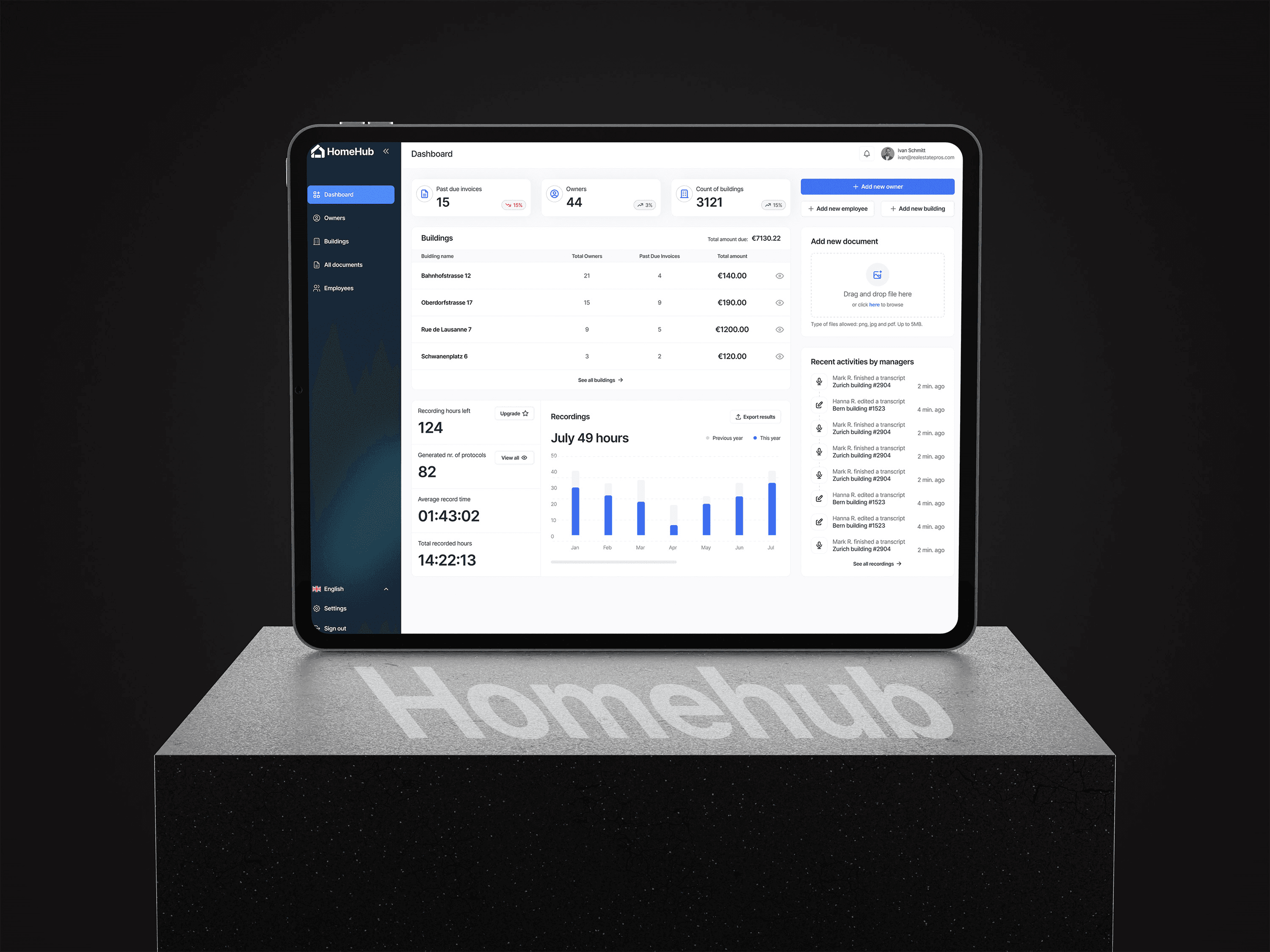
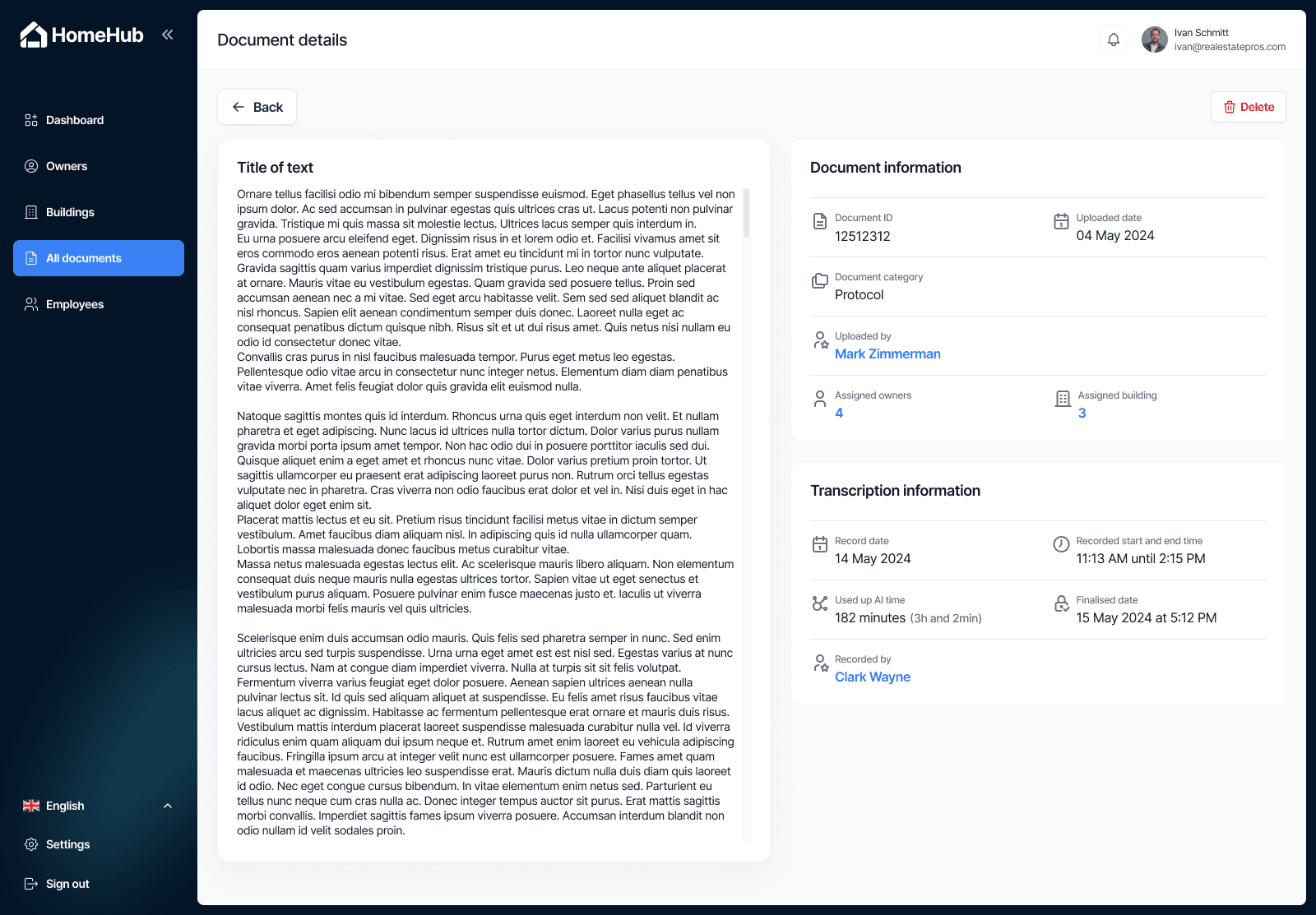
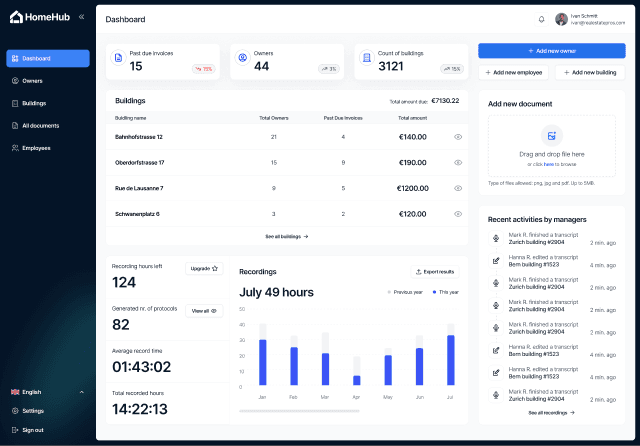
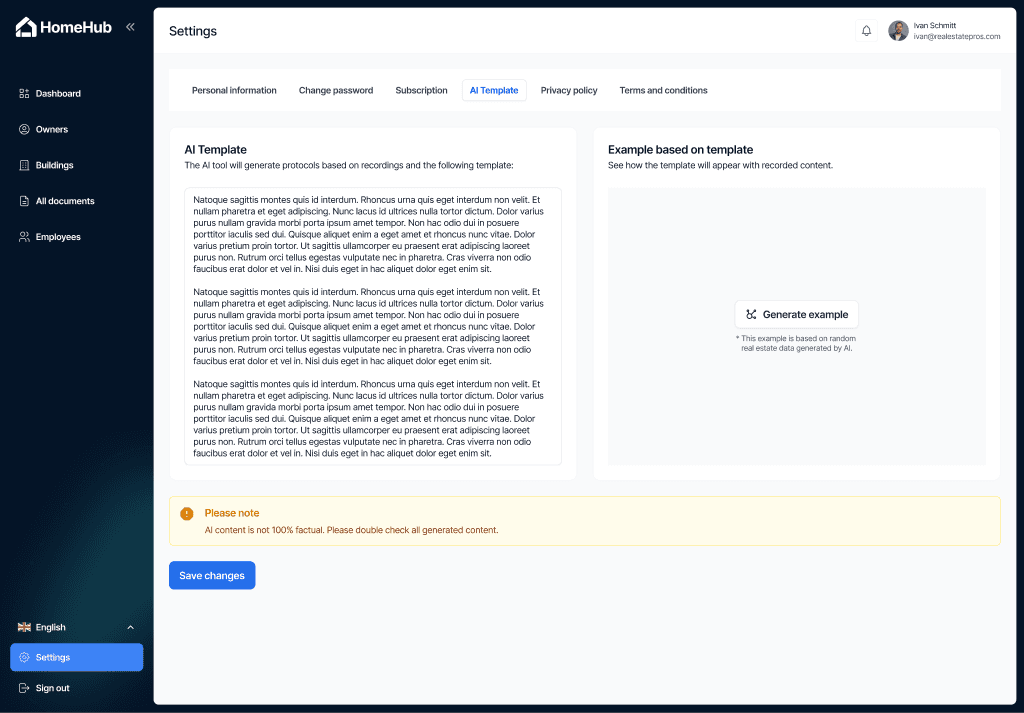
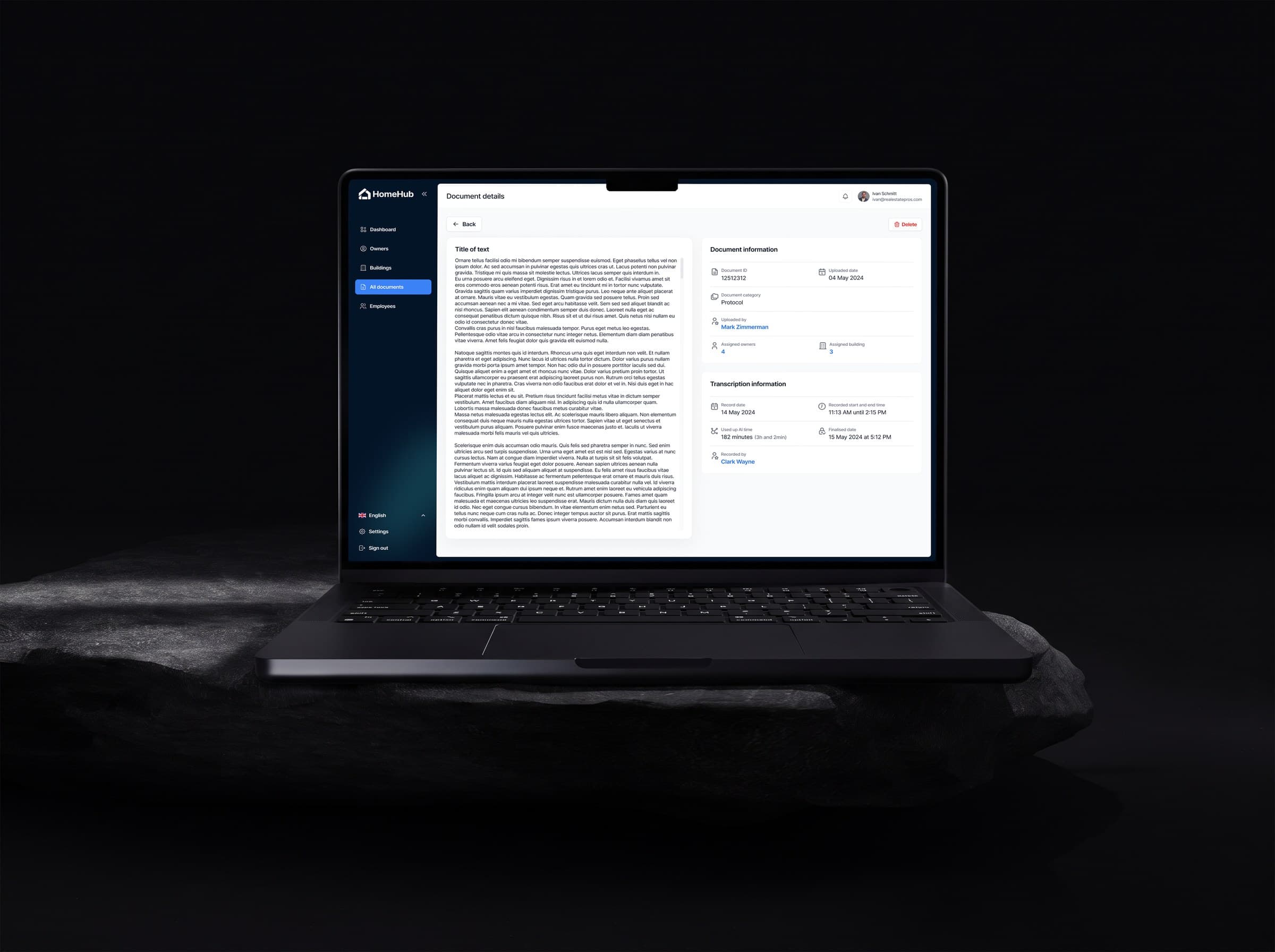
Managers record each building’s meeting in a companion AI Recorder app. AI turns the recording into a written protocol (the meeting minutes) that follows a template the company sets once, and every protocol shows when it was recorded, by whom and how much AI time it used. The next step in the plan: turning what was agreed into tasks automatically, waiting for the manager before they are back at the office.
Buildings, owners and invoices in one place
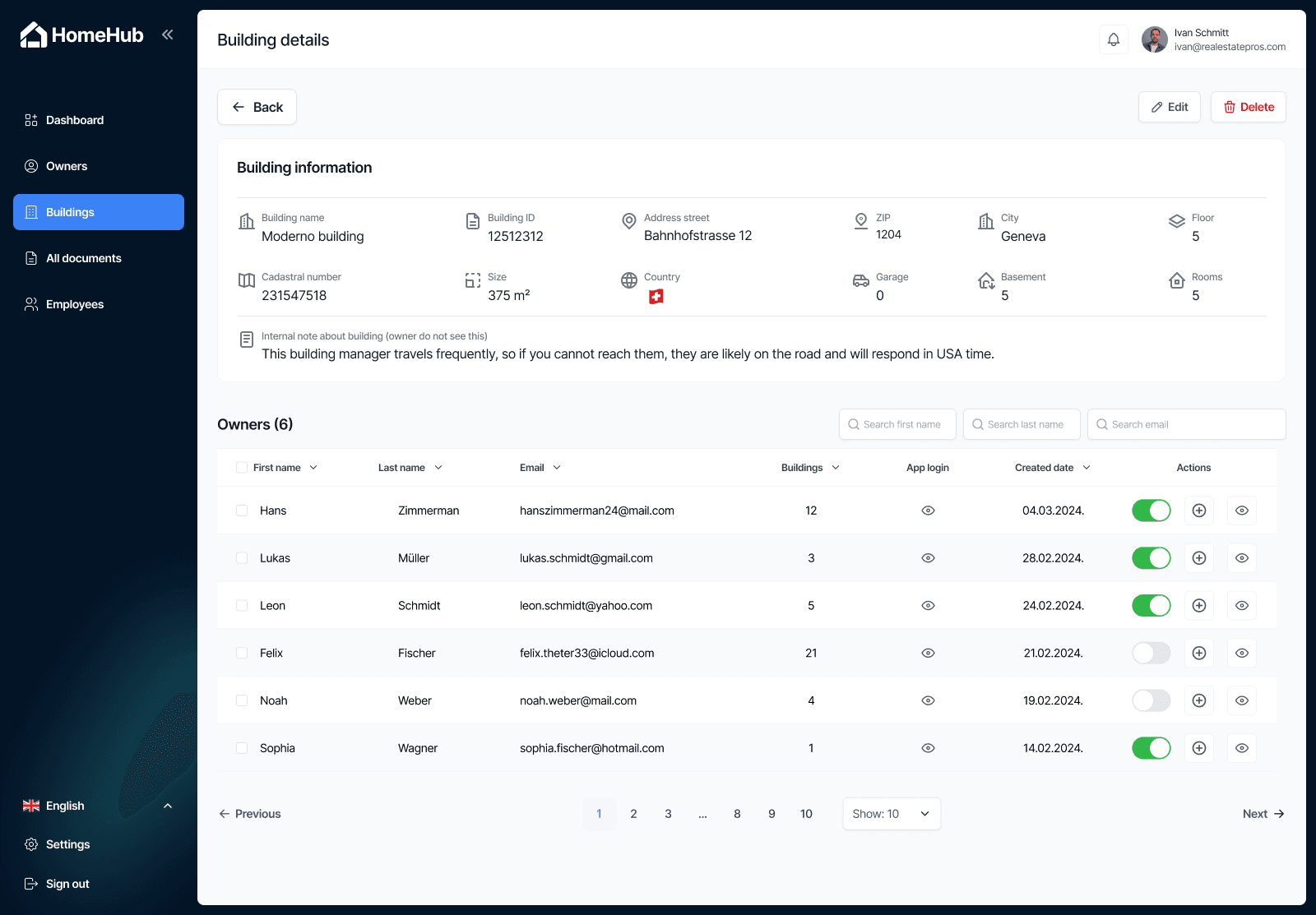
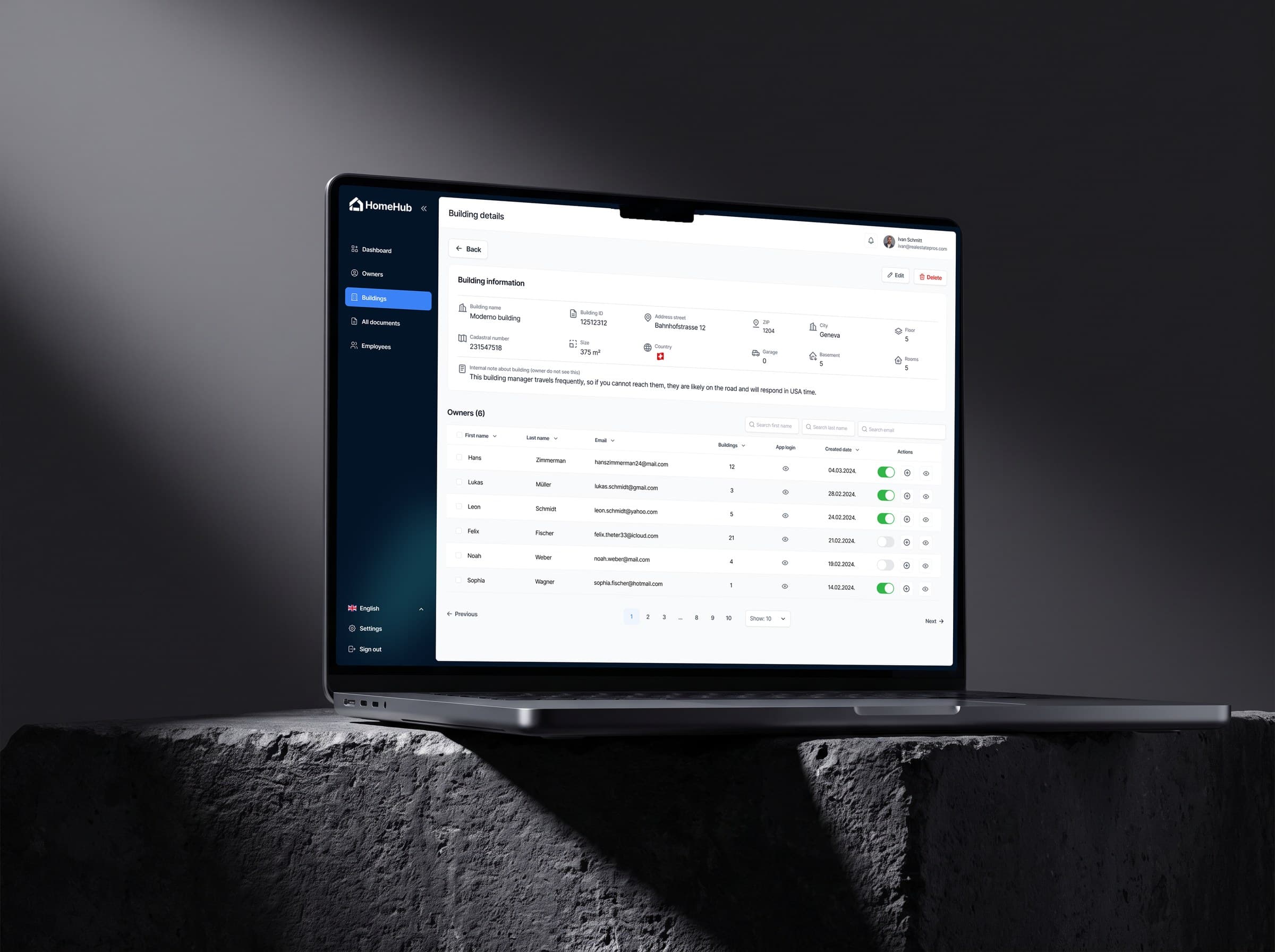
Dashboards for revenue, buildings, owners per building and addresses. Invoices are tracked per building, with automatic reminders for anything past due.
Documents with dates and status
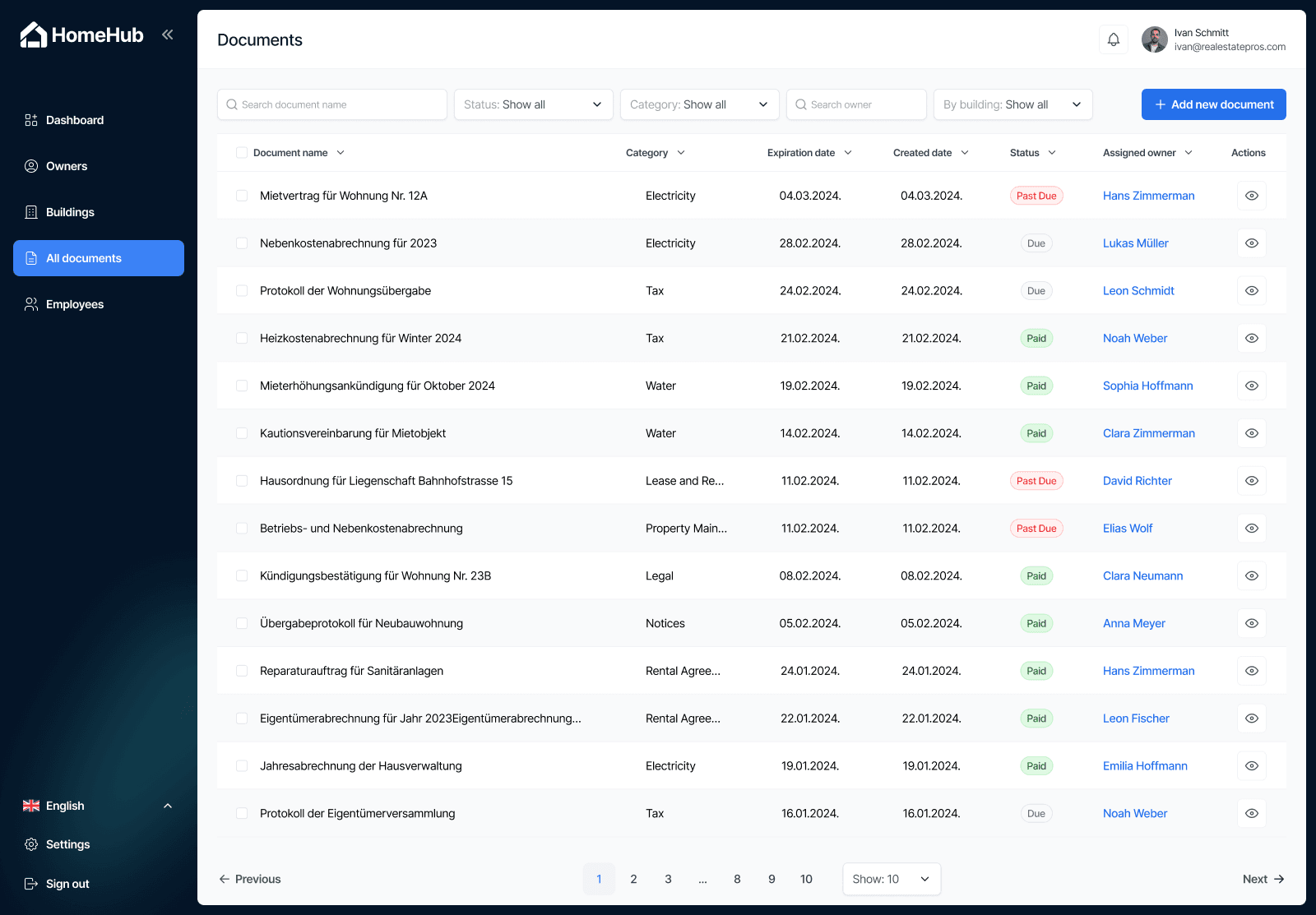
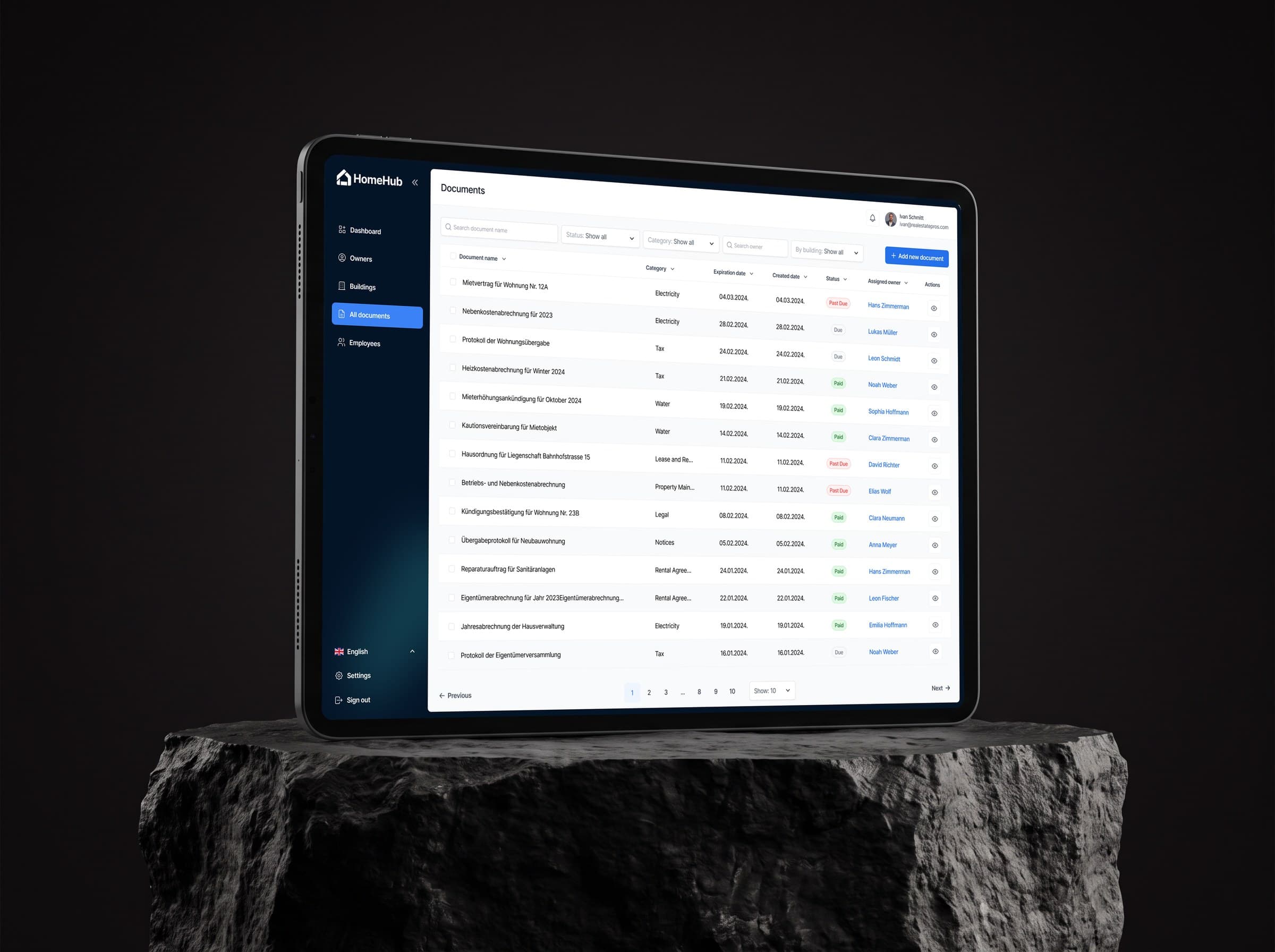
Bills for electricity, water and tax, rental agreements and building changes, filed by building, owner and category, each with a created date, an expiry date and a status (due, paid or past due), so nothing quietly runs out.
Identity and business verification (KYC and KYB), planned in
Owners verify who they are and companies verify that they exist as a business before invoices and payments go through them. Verification, document checks and an audit log were part of the plan from day one, so they would shape the architecture instead of being bolted on later.
Access by role and building
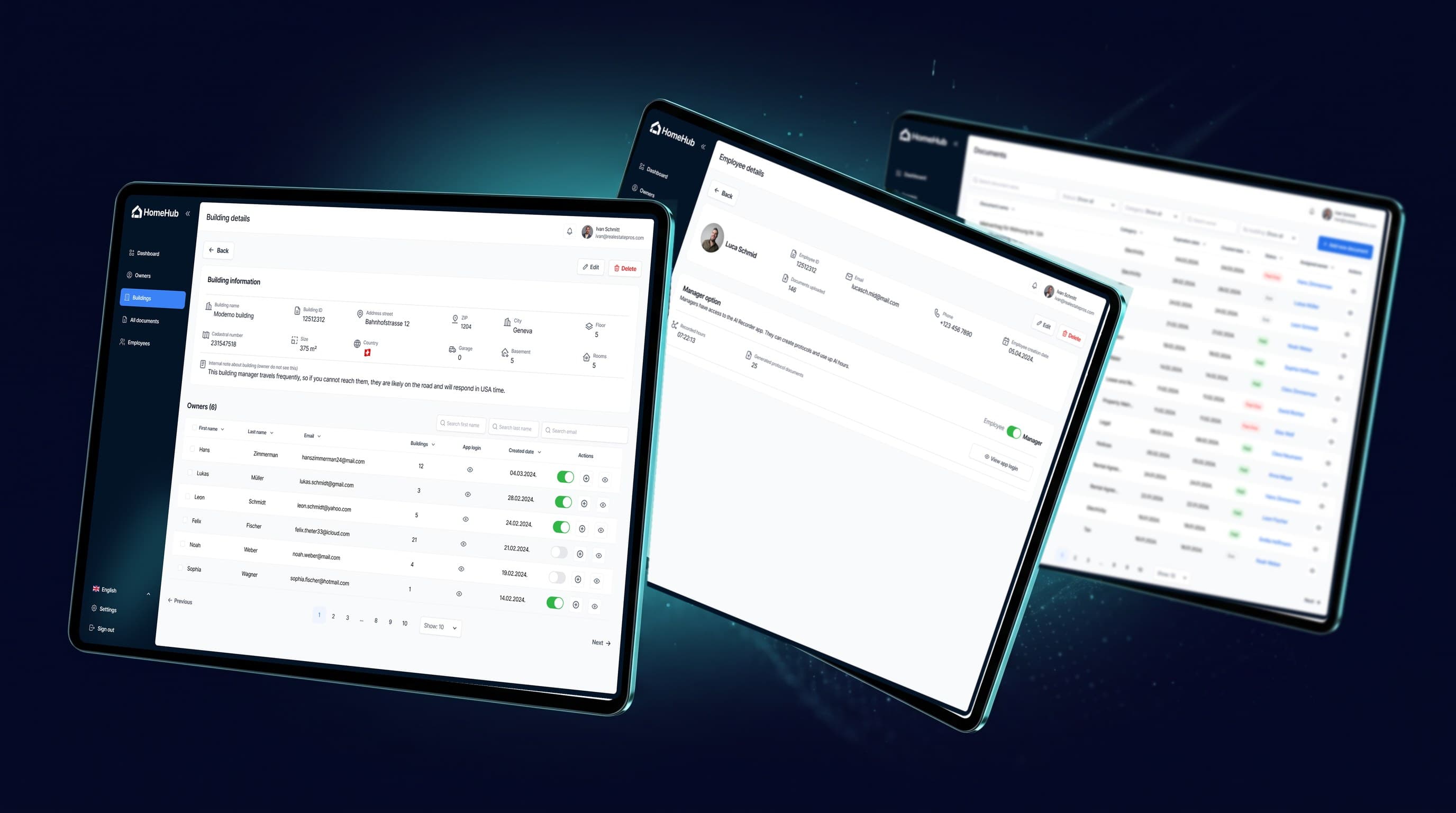
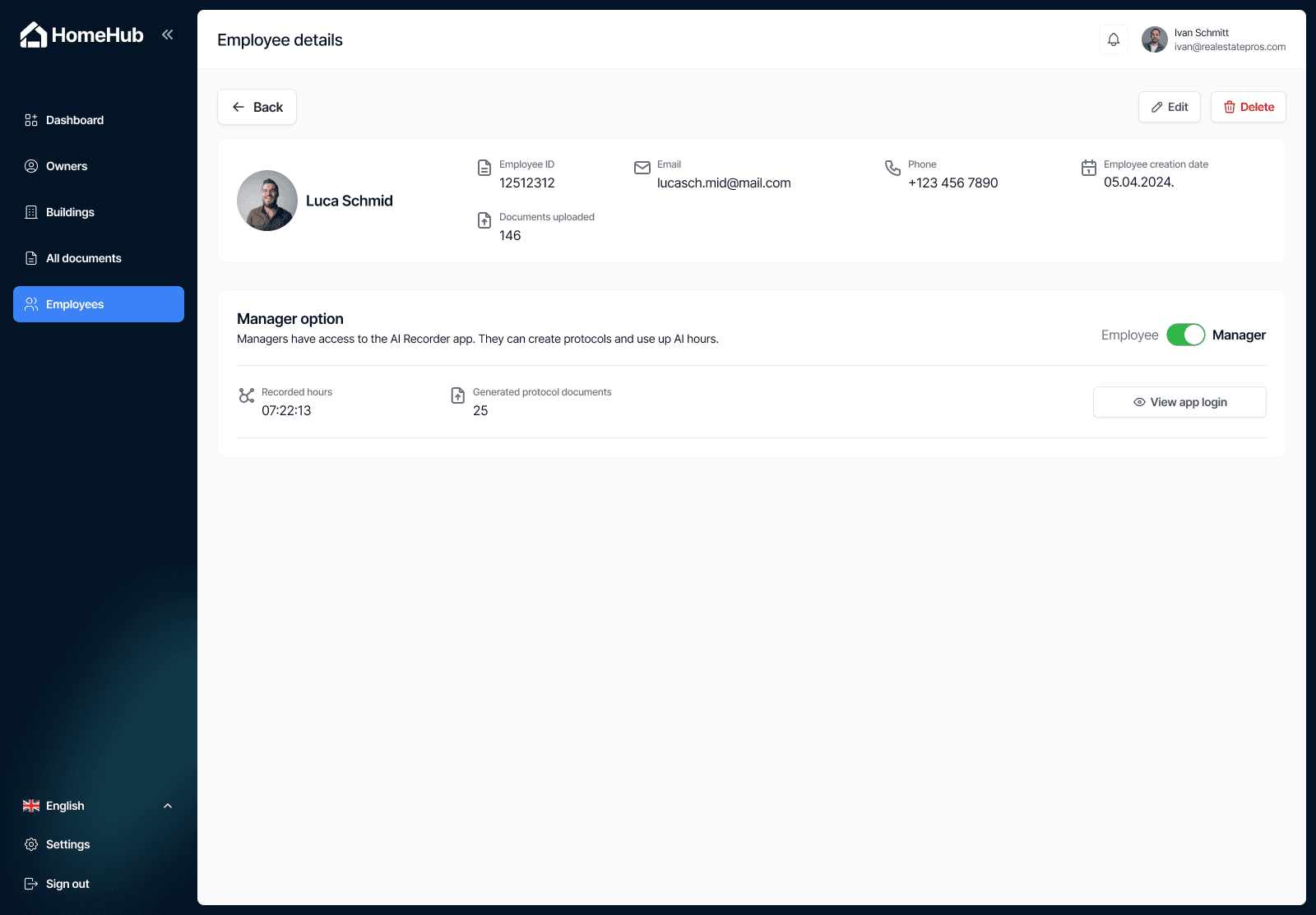
Managers see only the buildings they are assigned to, and only managers get the AI Recorder app. Owners get their own app login, which the company can send by email or revoke, so residents can get in touch, request information and message the team whenever they need to.
Built to be sold, not just used
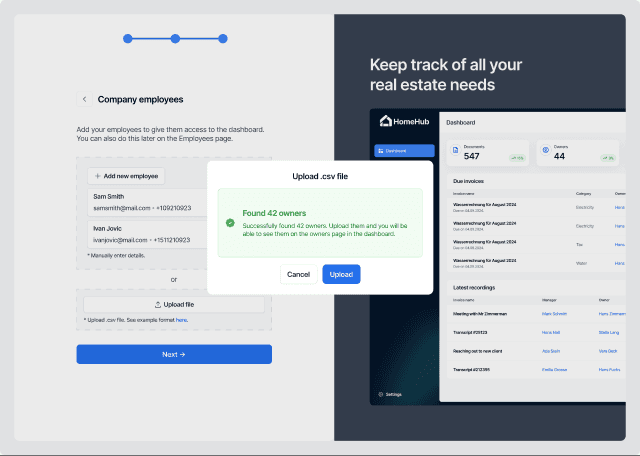
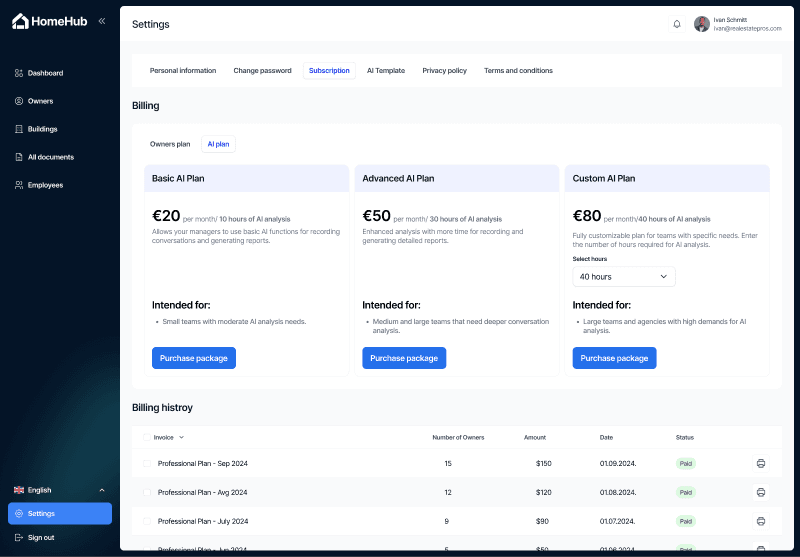
Homehub was designed as a product other property companies could buy: a sign-up flow that imports existing owners and buildings in bulk, and subscription plans priced by the number of owners and by AI recording hours.
A prototype to show, a schema to build on
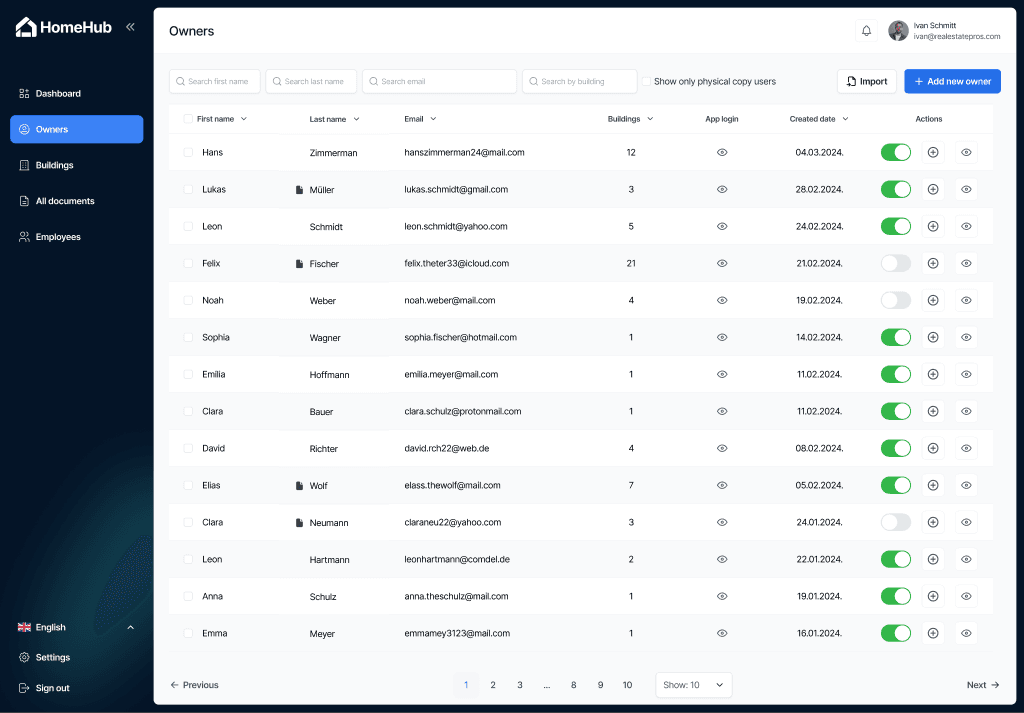
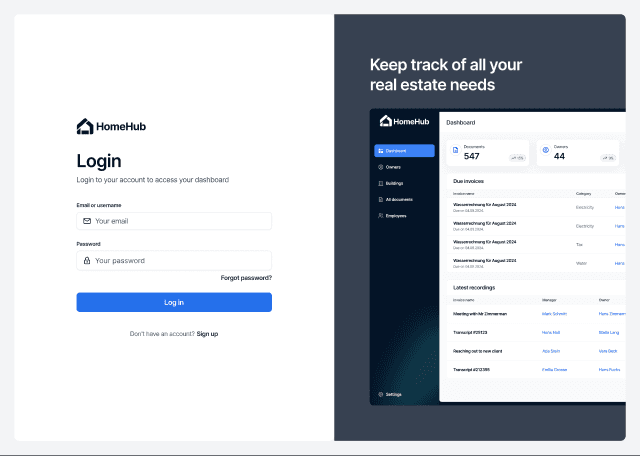
More than 140 designed screens, from sign-up through the dashboard, owners, buildings, documents, employees and settings, linked into a clickable prototype Martina could put in front of the company and potential customers. We also designed the database and wrote the schema as code, so developers would start from a working foundation instead of a blank page.
140+ screens, ready to click through
Every screen here comes straight from the Figma file we handed over to Martina. The names and numbers in them are sample data.
04. What happened
Martina came out of discovery with a clickable prototype she could show the company and its future customers, a feature list and flows everyone had agreed on, and a database schema already written in code. A development team could have started on day one.
Martina later chose to focus on other ventures, so Homehub never went into full development. Everything discovery produced is hers: the designs, the prototype and the schema. Whoever picks it up starts from a blueprint, not a blank page.
05. What this means for you
If you know a process in your business is broken but have never written a spec, you are where Martina started. Discovery turns what is in your head into flows, screens and a plan a developer can build from, in weeks, not months.
And you do not have to commit to a full build to get there. Discovery has a fixed scope and a fixed price, and you own everything it produces, whether you build with us, with someone else or not at all.
Have an idea you want to build?
Book a free discovery call. We'll tell you honestly what it would take, what it costs, and whether it's the right time to build. No pressure.
Book a Free Discovery CallMore case studies
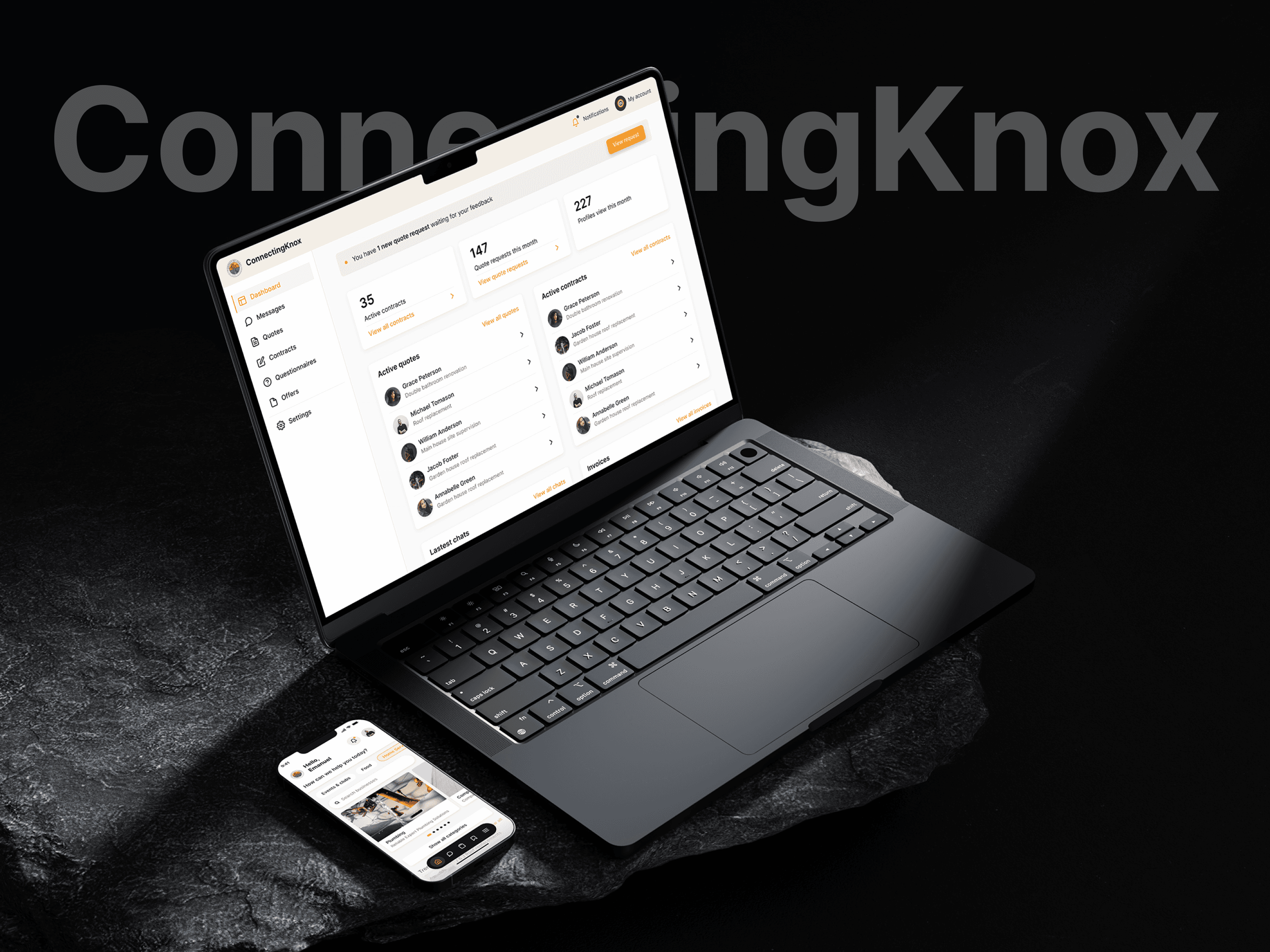
From an idea in Knoxville to a live community app with 130+ businesses
Two co-founders with no technical background wanted one place where Knoxville could find local events, restaurants and services. We took it from a conversation to the App Store and Play Store, with a verified business directory behind it.
Read the full story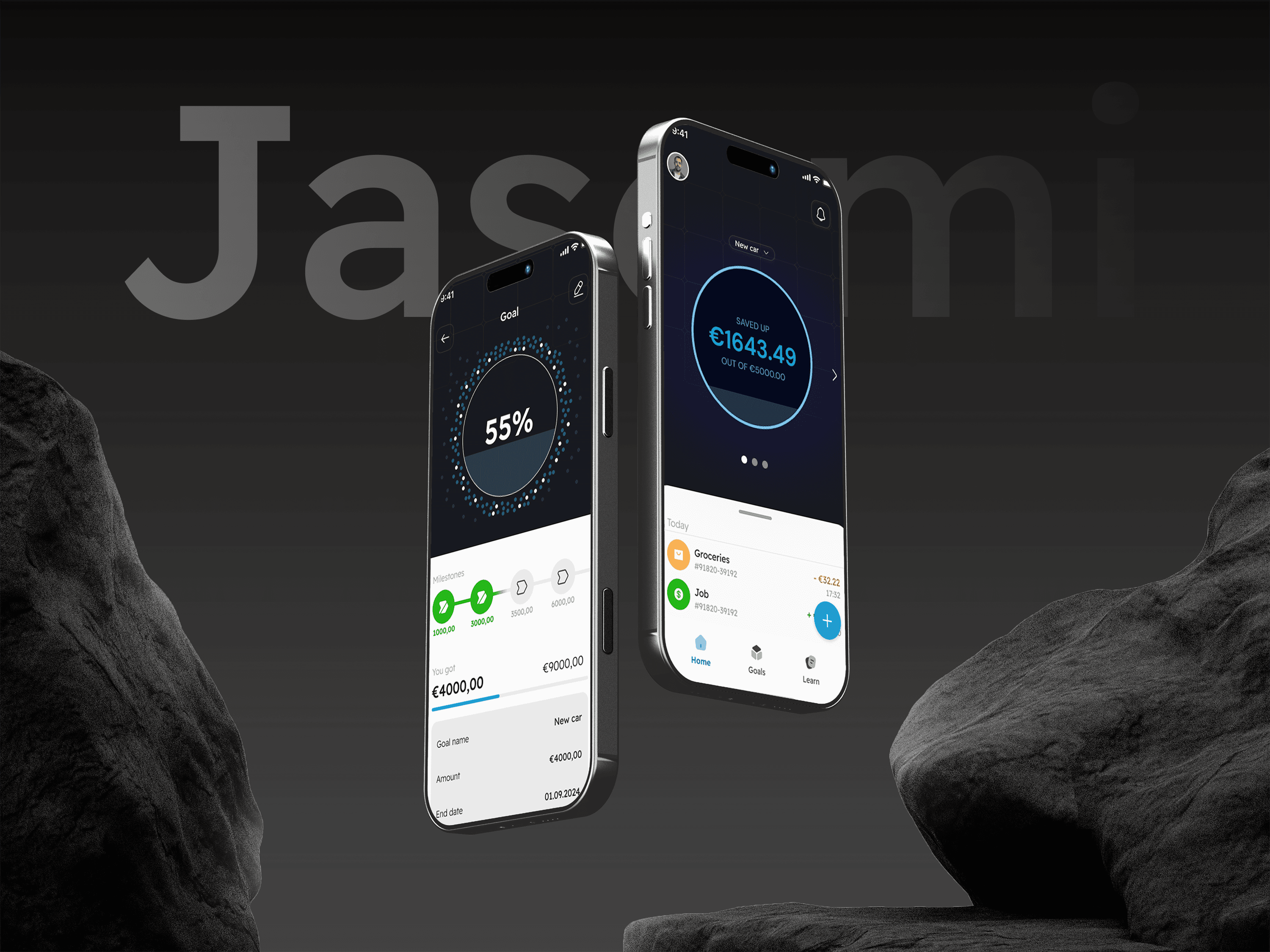
A budgeting app with identity verification built in from day one
Nico had a clear idea: help people organise their money and actually understand it. He did not have a developer. We ran discovery, designed the product and shipped a React Native app to both stores, with identity verification and bank account connection built in from day one.
Read the full story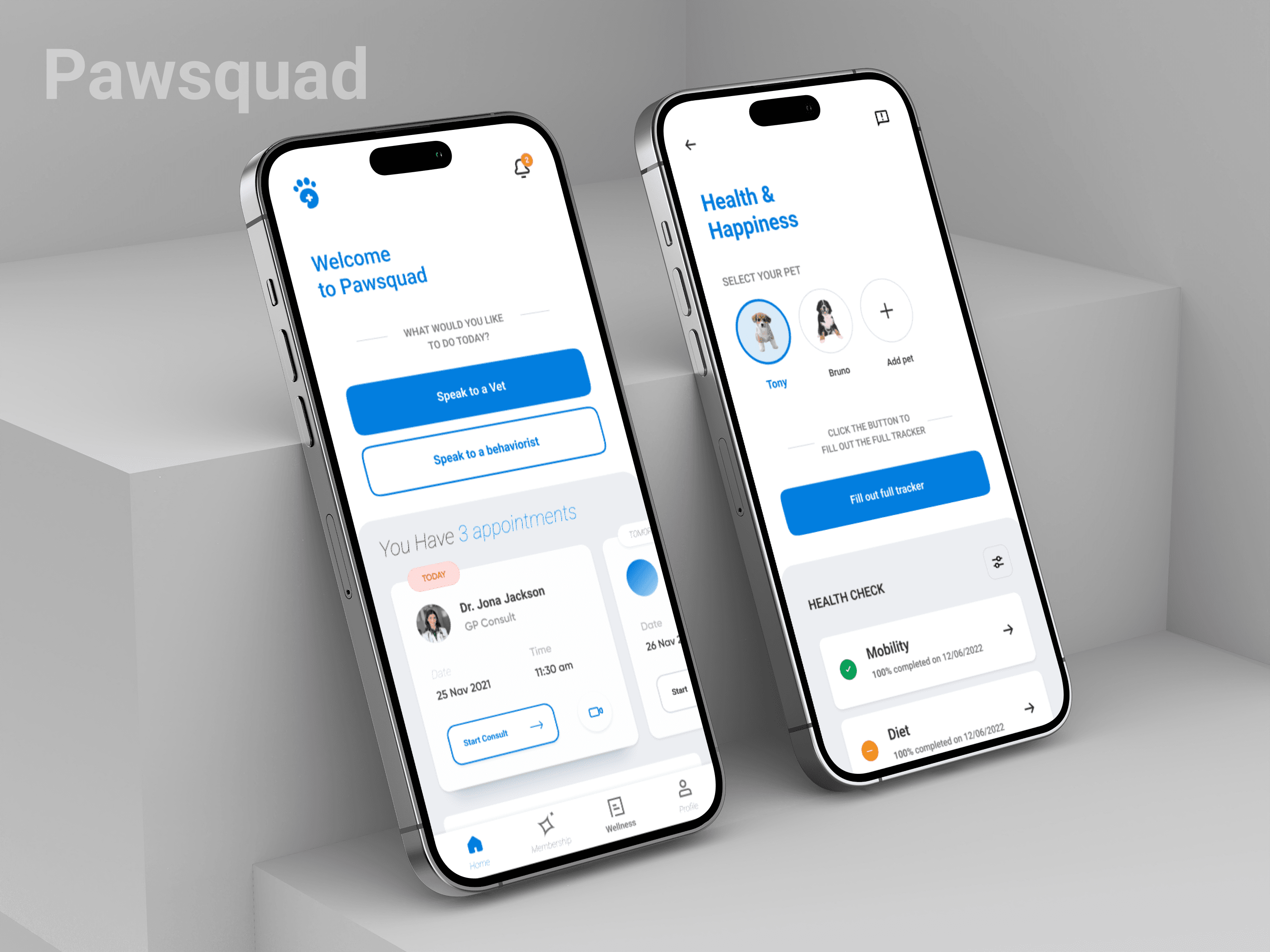
Rebuilding a veterinary telehealth platform that now serves 100,000+ pet owners
PawSquad already had customers and revenue. What it did not have was a platform that could keep up. We rebuilt the mobile app, the web app and the backend around the business that was already working, and stayed on as the team that keeps it growing.
Read the full story